
IFC coordination for Windows
TiMBIM IfcTools
Review openings against your IFC models, coordinate decisions in a shared Windows folder, and turn the opening register into a PDF report.
Coordinate openings from IFC files
Match openings to MEP and hosts
Load a combined IFC or link separate opening, MEP and host models. Select an opening to inspect the geometry, matched elements, properties and review history.
Assign and track discipline reviews
Set reviewers, authors and commenters by email. Run the review in parallel or in order, track working-day deadlines, and reopen affected reviews when an opening envelope changes.
Issue the opening register
Export CSV, exchange approvals through BCF 2.1, or create a branded PDF with selected columns, comments and optional 3D snapshots.
Work from your Windows folders
Use a private workspace or a project folder that your team can already access. IfcTools processes IFC geometry on the computer. The TiMBIM website checks the assigned licence.
Privacy and dataInspect IFCs in 3D
Open one or more IFCs in the standalone viewer. Search the model tree, inspect properties, focus an element or isolate it.
Zoom toward the pointer with the mouse wheel. Add multiple section planes, then drag their numbered handles to inspect a particular area or keep a slice between two planes.
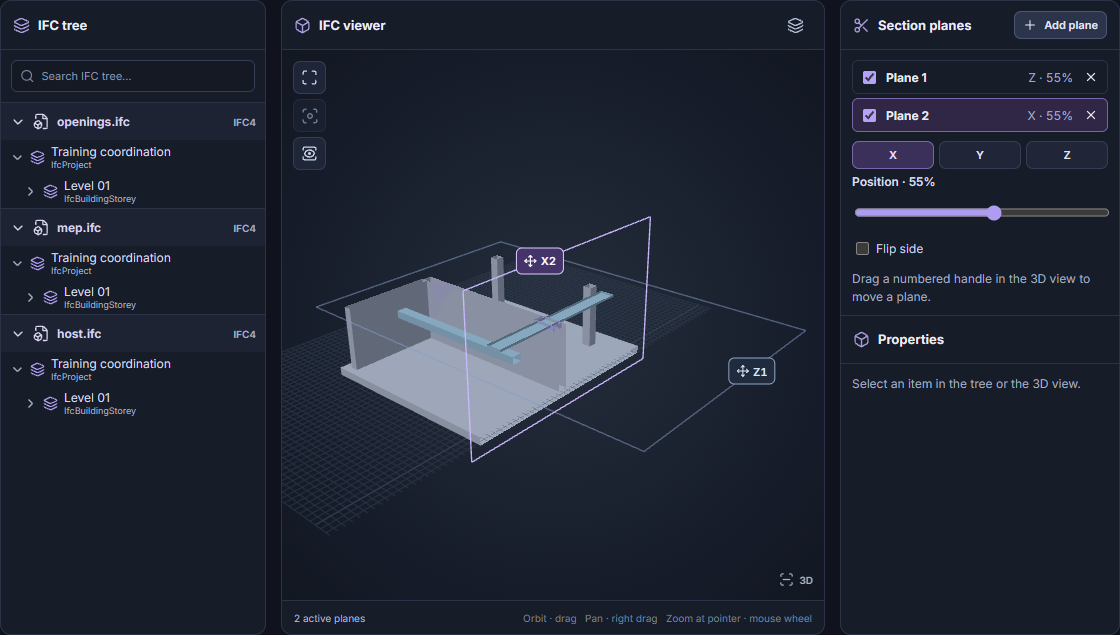
Two active section planes in the IFC Viewer.
Get started
Install the Windows app and open the bundled Mill Hall sample. To work with your own IFC files, activate the seat assigned to your email using your TiMBIM website licence key.